How to report a scam store to Google Safe Browsing

When a copy of your store appears, the instinct is to reach for a legal notice. That is the slowest route available, and it is not where to start.
Report the URL at safebrowsing.google.com/safebrowsing/report_phish/. It does not remove the store. It causes browsers to show a full-page warning before the page loads, which stops conversions while slower routes run. It needs no rights holder and no sworn statement, so anyone can file one and your details are not passed to the operator.
The difference that decides everything
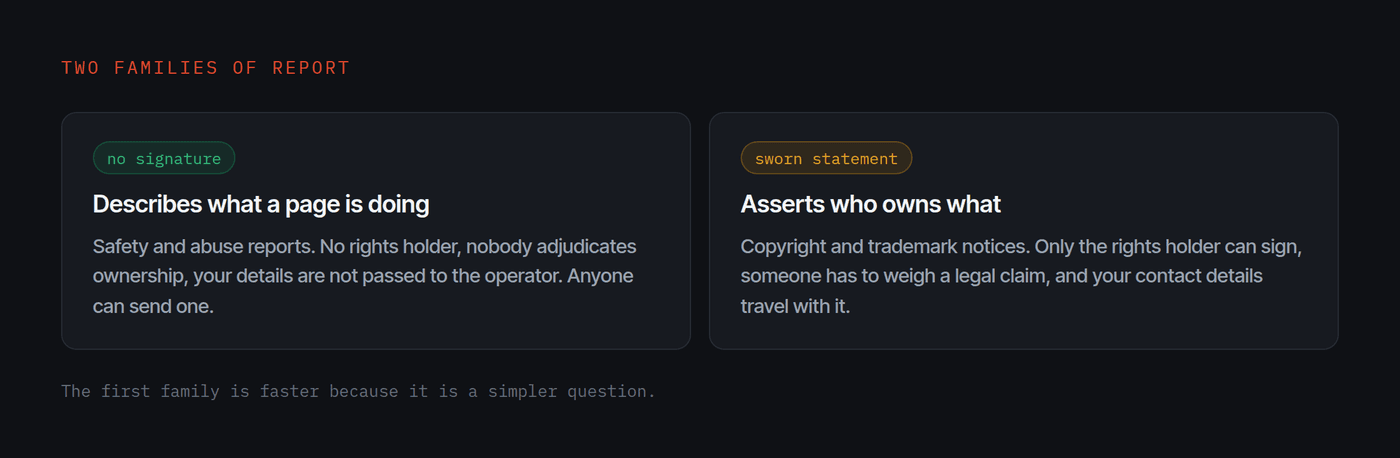
There are two families of report and the distinction is not a technicality.
A report that asserts who owns what, a copyright or trademark notice, carries a sworn statement. Only the rights holder can make it. Someone has to read it, weigh a legal claim and decide. That takes time, and your contact details usually travel to the other party with it.
A report that describes what a page is doing needs no rights holder and no signature. Anyone can send it. Nobody has to adjudicate ownership to act on it. A page pretending to be a shop it is not, taking card details, is a safety matter regardless of who owns the photographs.
The second family is faster because it is a simpler question.
Where to report
Google's report form is at safebrowsing.google.com/safebrowsing/report_phish/. It asks for the URL and lets you add detail. Give it the specific page, not just the domain, and say plainly what the page is doing: presenting itself as an official store for a brand it is not, taking payment.
You can check what Google currently says about any site at the Safe Browsing site status page. That is also how you confirm a report has landed.
What happens in the browser
If the report is accepted, people who click through to that store get a full-page interstitial before the page loads, in Chrome and in every other browser that consumes the same list, which is most of them. It takes a deliberate click to proceed past it.
The store is still online. It has simply stopped converting, and that is the outcome that matters in the first day. Your customer, the one about to enter a card number, is protected before any lawyer is involved.
Report to Microsoft too
Microsoft runs its own list for Edge and Windows, reported separately. It is five minutes and it covers a different slice of your customers.
What to put in the report
Keep it factual and specific. Useful things to include:
- The exact URL of the storefront, and a product page URL.
- That it presents itself as an official store for your brand and takes payment.
- That the product images are served from your own content delivery network, if they are. This is checkable from the page source in seconds and it is unusually persuasive.
- The domain registration date, if it is recent.
Do not editorialise. "This is a criminal scam operation" is an assertion somebody has to evaluate. "This page presents itself as the official store of [brand], takes card payments, and serves its product images from [brand]'s own CDN" is a set of facts that can be checked in a minute.
Then keep going
A safety warning is a tourniquet, not treatment. The store is still there, still indexed, still running ads. The host, the registrar, the content delivery network and the payment processor all still need reports, and the intellectual property notice still reaches venues none of the others can.
But start here, because it is the step that protects somebody today.
Questions
Does a Safe Browsing report remove the store?
No. It causes browsers to show a full-page warning before the page loads. The store stays online but stops converting, which is the part that protects your customers while the slower routes run.
Do I have to be the brand owner to report a page?
No. A safety report describes what a page is doing, it does not assert who owns what, so it carries no sworn statement and no rights holder requirement. Anyone can file one, including your agency or a service acting for you.
How long does it take to appear?
There is no published turnaround, and it varies. In practice it is usually the fastest of the available routes, because it does not wait for a human to weigh a legal claim before anything can happen.
Will the operator know it was me?
A safety report does not pass your contact details to the site operator the way an intellectual property notice does. That difference is one of the main reasons to start here.