Shopify brand protection apps: what they can do

Search the Shopify App Store for brand protection and you get content protection tools: right click blockers, text selection blockers, image protection. Then you install one, and a copy of your store appears anyway.
An app installed in your store can only see your store. A copy of it lives on a different domain, a different shop and different hosting, so no app in your admin can detect one, whatever permissions it requests. Content protection apps address casual copying by a visitor, which is a different problem.
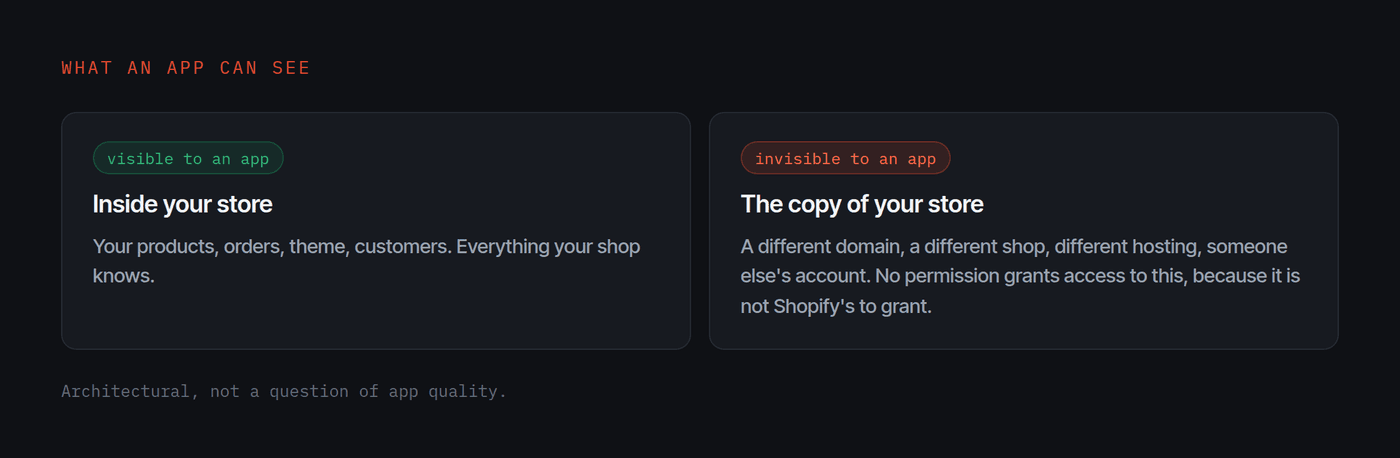
That is not a quality problem. It is an architectural one, and understanding it saves you the search.
The constraint that decides everything
An app installed in your store runs inside your store. It has access to what your shop knows: your products, your orders, your theme, your customers.
A copy of your store is in none of those. It is a different domain, a different shop, different hosting, someone else's account. Finding it means searching the domain space, reading public certificate logs, fetching live pages and comparing them to yours.
None of that is visible from inside your admin, and no permission an app could request would change it, because the information is not Shopify's to grant.
So the App Store is not where this is solved, and that is worth knowing before you spend a week comparing listings.
What the apps in this category actually do
Content protection
Disable right click, block text selection, suppress the developer tools shortcut. These target casual copying by a visitor.
Against an operator building copies for a living they do nothing. By the time the page has rendered, every image is on that machine and the page source lists every asset path in plain text. The protections run on the client, and the client is the other party.
They also cost you something. Text selection blocking interferes with accessibility tools and annoys the customers you do want.
Image handling
More useful, and for a reason people rarely name. Copies frequently do not download product photographs at all. They link straight to your content delivery network, so you serve the images that sell the fake goods and pay the bandwidth.
Anything that makes that harder, or at least makes it visible, has real value, and not because it stops the copy. A store hotlinking your CDN is the most legible piece of evidence available, and knowing it is happening is worth more than preventing it.
Watermarking
Worth it only when the mark is on the product rather than in a corner. A corner logo is cropped in seconds. A mark across the product costs the copier real work, and cost is the only thing that changes behaviour here.
What to do instead
- Watch the domain space. Any site serving HTTPS announces its name in a public certificate log before it goes live. Free and public, and the method is in the certificate transparency guide.
- Register the handful of look-alike domains that matter. Your brand on the common alternative endings, not hundreds of permutations.
- Keep your authorised list current. The dullest item here and the highest leverage: when a look-alike appears, the first question is whether it is one of yours, and the answer should take two minutes.
- Watch your ads, not only your search results. Copies buy paid social rather than ranking, so a brand watching only search can miss one entirely.
The honest summary
If your concern is a visitor saving a product photo, a content protection app is a cheap and reasonable thing to install, and you should expect it to accomplish very little.
If your concern is an entire copy of your store taking real orders from your customers, no app in your admin can see it, and installing one gives you the feeling of having addressed the problem without addressing it. That gap is the expensive part.
Questions
Can a Shopify app detect fake stores?
An app runs inside your store, with access to your store's data. It cannot see the rest of the internet. Detecting a copy means searching domains, certificate logs and live pages outside your shop, which is not something an app installed in your admin has visibility into.
Do content protection apps stop copying?
They make casual copying slightly less convenient. Disabling right click or text selection does nothing to an operator copying your store for a living, because the page has already been delivered to the browser and the source lists every asset path.
Is there anything useful in the App Store for this?
Yes, for adjacent problems: content protection for casual copying, and image handling that makes hotlinking harder. Neither finds a copy of your store, because neither can look outside it.
What should I install instead?
Nothing, for this problem. It is solved outside the store rather than inside it. Spend the effort on watching the domain space and keeping your authorised list current, which is where the leverage is.