How AI Agents Send Your Customers to Fake Stores
A shopper asks an AI agent to buy your product. The agent recommends a copy of your store, the Shop app shows it with a discount and a Purchase button, and the copy sends them to a checkout that is not on Shopify. They pay for an order that never ships. In the case below, only 4 of 18 recommendations were the brand's own site. You can check your own products the same way, in a few minutes.
The whole path in 15 seconds. Seller names and logos are blurred.
Your customers already ask AI agents to shop for them. They type your product name, the agent comes back with a row of options, and they pick one. Most of the time that works. Sometimes the option they pick is a copy of your store.
Here is one case we followed from the first question to the last click. It is one of the biggest things Katcher has found so far, and the part that worries us most is where it happens: the copy shows up inside the Shop app itself, not on some random website. It has been live in AI shopping for more than 30 days. The shopper never gets the order. You never get the sale. And their card details went into a checkout that neither you nor Shopify controls.
Step 1: the shopper asks AI for your product
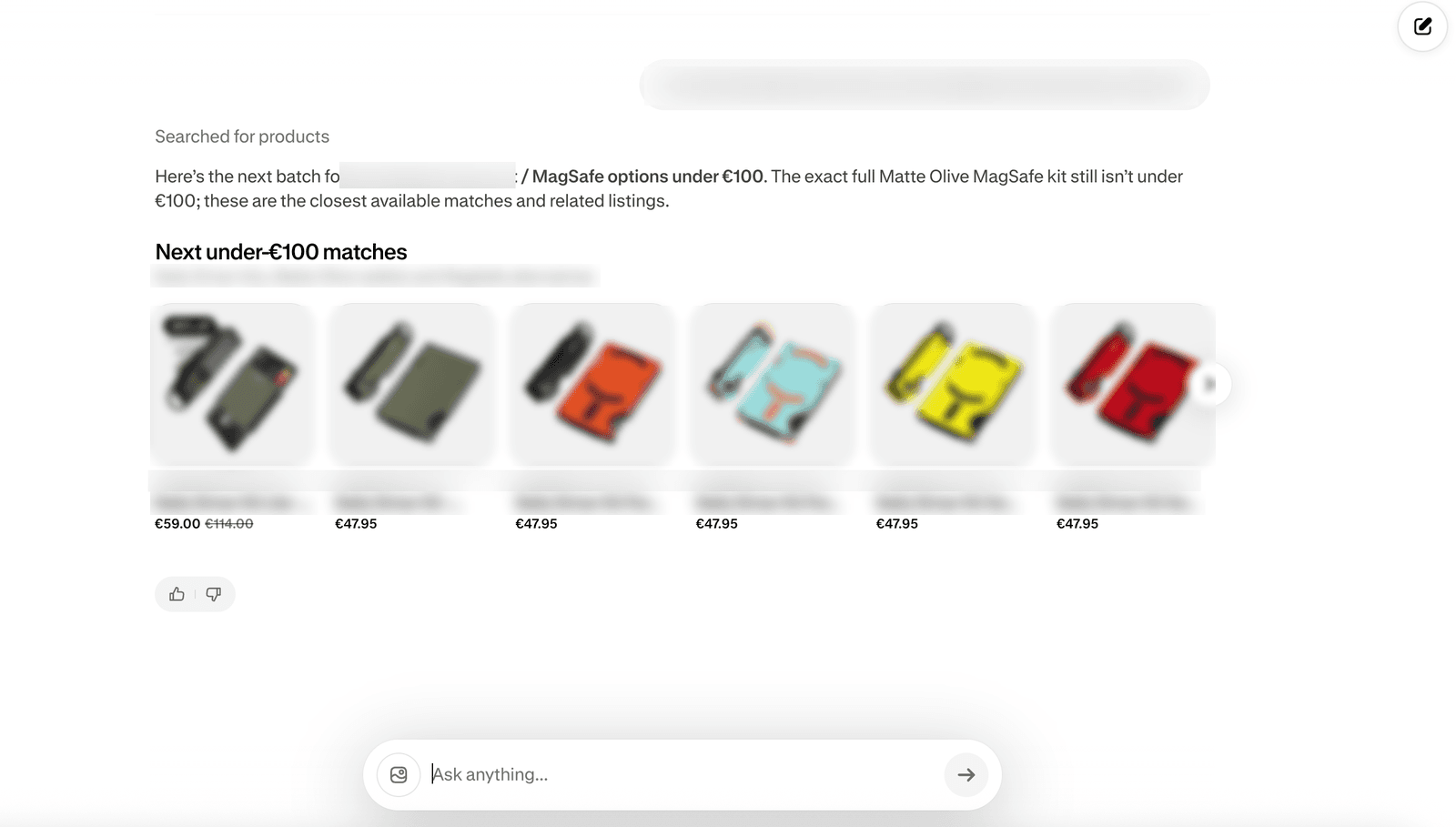
The shopper asked an AI agent to buy one specific branded product, by name. The agent answered with 18 recommendations. Only 4 of them were the brand's own site.
The other 14 looked like the same product: same photos, same colours, same name, often a lower price. From inside the chat there is nothing that tells the shopper which result is the brand and which is not. The agent is matching products, not checking who is allowed to sell them.
Step 2: it looks trustworthy
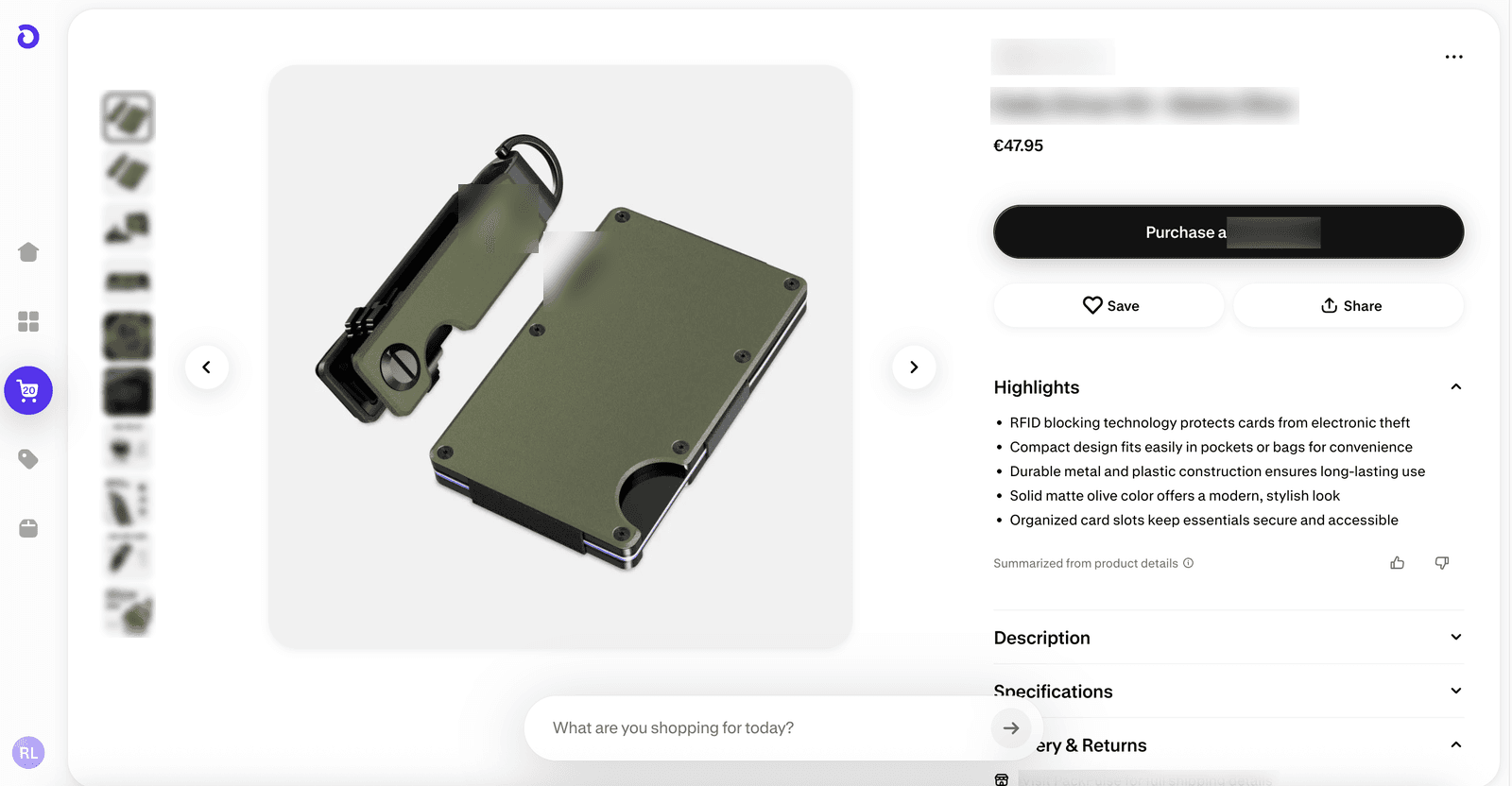
The shopper picks one of the cheaper results. A product page opens inside the Shop app, Shopify's own shopping app, with your real product photos, a clean description, a 10% discount and a "Purchase" button.
Nothing on that page looks wrong. It carries the Shop app badge, it sits inside an app shoppers already trust, and the photos are yours. Everything on the screen says this is safe. That small discount is the reason this result got the click.
Step 3: a copycat store with your product
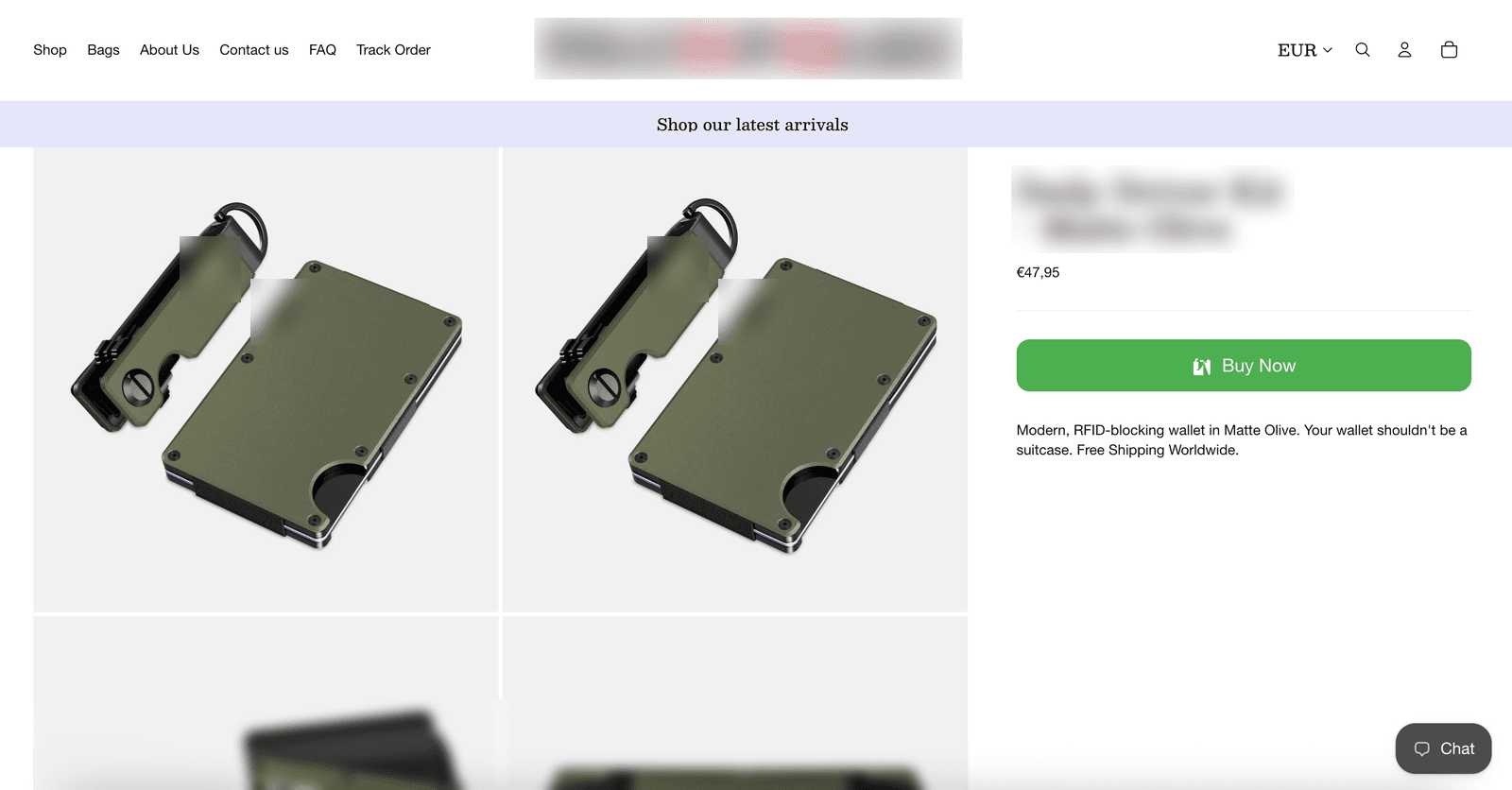
The shopper taps the button and is redirected to a Shopify store. It carries your product name, your photos and your product copy. The header has the usual About, Contact, FAQ and Track Order links. The "Buy Now" button is green and obvious.
This is the step where most shoppers would still feel safe. They started in an AI agent, passed through an app they know, and landed on a store that looks like every other Shopify store. But "Buy Now" does not go to Shopify's checkout.
Step 4: a clone checkout takes the money
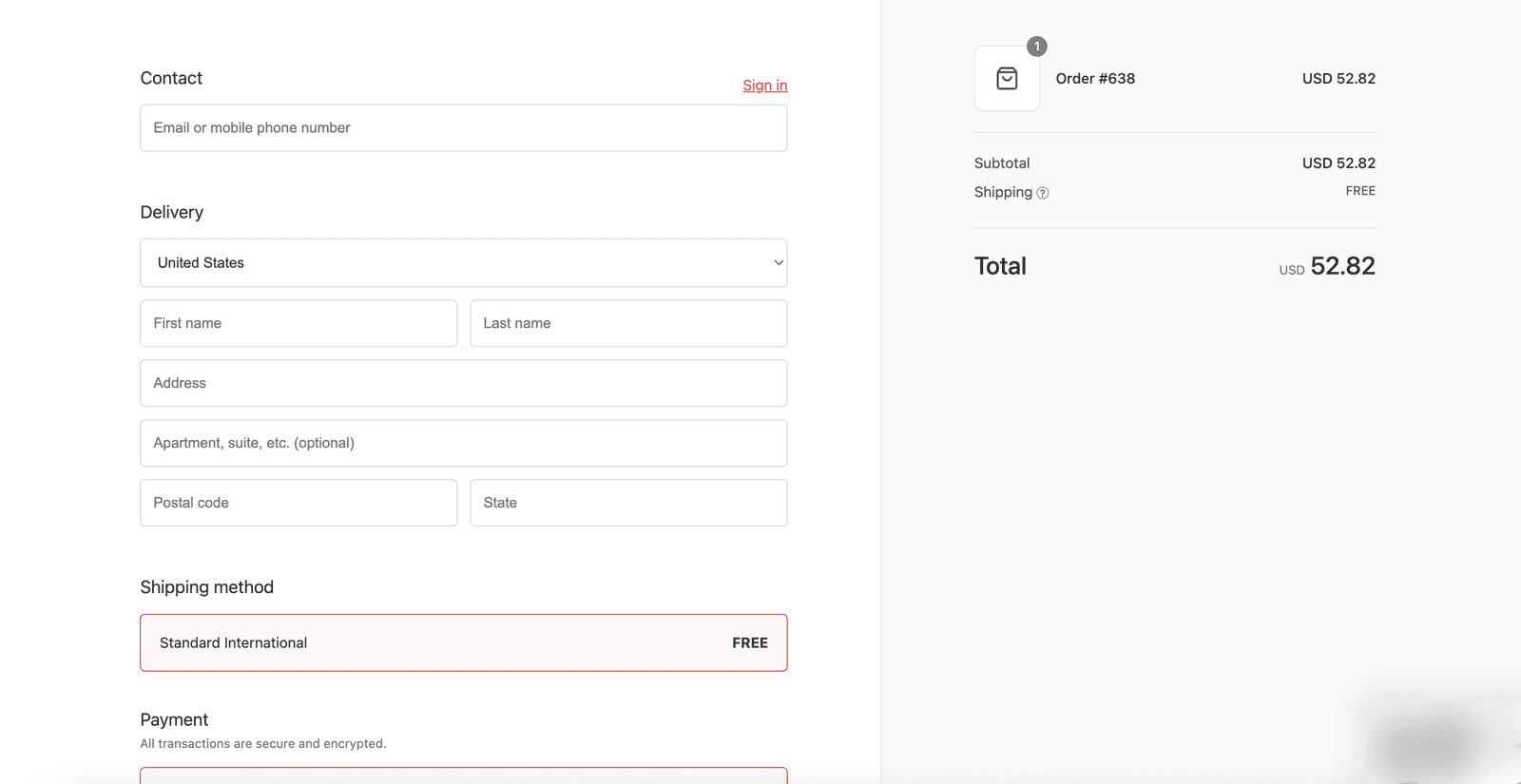
The checkout page looks like a normal checkout: contact, delivery address, free international shipping, then a card form. But the checkout never happens on Shopify. The shopper enters their card details, the money is gone, and the product never ships.
Going by the order number on that checkout page, more than 600 orders had already gone through it.
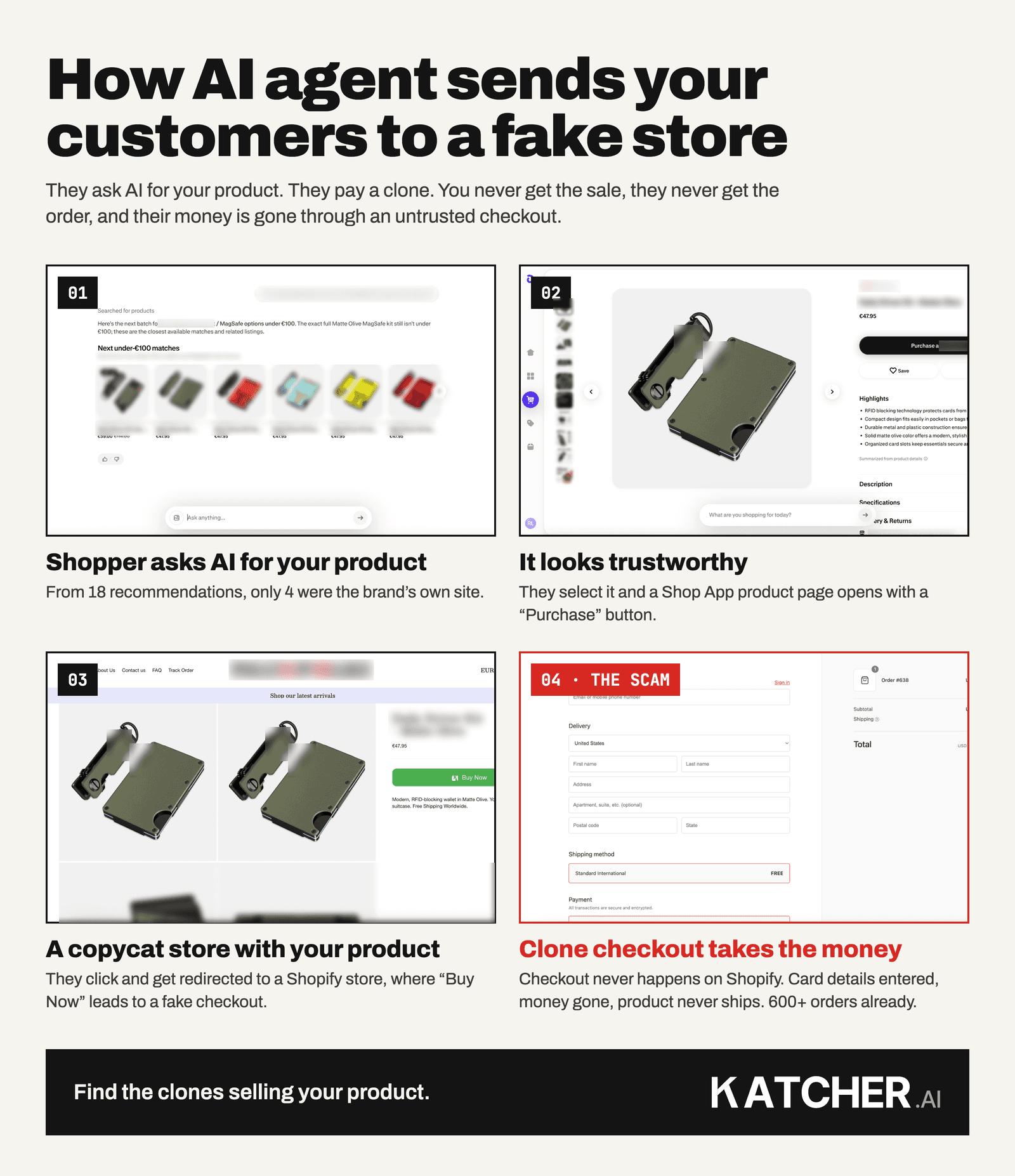
The four steps on one page
Save this if you want to show your team what to look for.
Why this hurts you, not only the shopper
You might think this is the shopper's problem. It lands on you in three ways.
- Lost revenue. Every one of those orders was a customer who wanted your product and was ready to pay for it. The sale went somewhere else.
- Lost trust. The shopper believes they bought from you. When nothing arrives, the brand they blame is yours, and many of them will not buy from you again.
- Complaints aimed at you. The emails asking where the order is, the angry reviews and the "is this a scam?" posts all name your brand. Your support team spends time on orders you never received. We wrote a separate guide on what to tell customers who bought from a fake.
So the brand loses the customer, the customer loses their money, and both of them blame the brand rather than the store that took the payment.
The shopper did nothing careless. They asked an AI agent for your product, clicked a result inside a trusted app and paid on a page that looked like a checkout. That is why this works, and why it is worth checking for.
Why standard IP scanners miss this
Most brand protection tools start from your name. They watch for new domains that look like yours, listings that use your trademark, and ads that bid on your brand. This store does none of that. Its domain has nothing to do with your name, and the listing that sends traffic to it lives inside an app, not on a lookalike website.
The AI agent and the Shop app surfaced the wrong store, but in practice finding these copies and getting them taken down falls to the brand. To catch this you have to detect the copy from what it sells: your product photos, your product names, your prices. Then you gather the evidence a host, registrar or payment processor needs before it acts.
What to do about it
1. Ask the agents yourself. Open the AI agents your customers use and ask them to buy your best sellers, by name, the way a shopper would. Count how many results are your own site. If it is fewer than you expected, look at who the others are. When we ran this check for 55 Shopify brands, 26 of them (47%) had at least one impostor store in their AI shopping results, so the odds are not small. The full data is in our study of 7,291 AI shopping searches.
2. Find the stores behind the listings. For each result that is not you, follow it the way a shopper would and note where it ends up: the store's domain, the checkout's domain, and whether it is a seller you know. You will know straight away whether a seller is one you have authorised. Our guide on finding copies of your website has the free method.
3. Get them taken down. Some routes need no signature from you: the payment processor, the host, the registrar and Google Safe Browsing all act on what a site is doing, and we send and chase those for you. Copyright and trademark notices are different. They carry a sworn statement that only you, the rights holder, can make, so we prepare the notice and you review it and send it from your own address. How to take down a fake website covers each route.
4. Keep checking. A store taken down today can come back on a new domain next week. This is a monthly job, not a one-time cleanup.
How Katcher helps
That is what we built Katcher for. It finds the clones selling your product, including the ones that never use your brand name in their domain. It checks AI shopping results, matches your product images across storefronts, and looks at Meta ads and lookalike domains, then shows you the evidence for each store so you can decide what is authorised. It is honest to say we are not the only tool that looks at AI answers, and we cannot stop a store coming back on a new domain. What we add is a Shopify-focused scan you can run free, before you talk to anyone.
Run a test, and I will help you find and close the clones targeting your brand.
About the author
Davis Paipa is the founder of Katcher and of Libautech, and has spent five years building on Shopify. He writes about brand impersonation because the people it hurts most, smaller DTC brands, are the ones the enterprise tools were never priced for.
Questions
Can AI shopping agents recommend fake stores?
Yes. An AI agent matches products by name, photos and description. It does not check who is authorised to sell them, so a copy of your store with your photos and a lower price can appear next to your own listing. In one case we followed, only 4 of 18 recommendations were the brand's own site.
How do shoppers end up paying a fake store?
In the case we followed, the shopper asked an AI agent for a branded product, picked a cheaper result, saw a Shop app product page with a 10% discount and a Purchase button, was redirected to a copycat Shopify store, and paid at a checkout that was not on Shopify. The product never shipped.
How can I check if AI agents send my customers to copies of my store?
Ask the AI agents your customers use to buy your best sellers by name, and count how many results are your own site. Follow each other result to see which store and checkout it ends up at. Katcher's free scan does this check for you and shows the evidence for each store.
What should I do if I find a copy of my store in AI results?
Confirm whether the seller is one you have authorised, then use the takedown routes. The payment processor, host, registrar and Google Safe Browsing need no signature from you. Copyright and trademark notices must be sent by you as the rights holder. Expect some stores to come back on new domains, so keep checking monthly.
Why don't standard brand protection scanners catch this?
Most scanners look for your brand name: lookalike domains, trademark use in listings, ads on your name. The store in this case used a domain unrelated to the brand and got its traffic through a listing inside an app. It can only be found from what it sells, your product photos, names and prices, which is how Katcher looks for it.
Why do customers blame my brand when they bought from a fake store?
Because they believe they bought from you. The listing used your product name and photos, so when the order never arrives they email your support, leave reviews about your brand and warn others about it. A clear help page and a ready reply for these customers limits the damage.